> For the complete documentation index, see [llms.txt](https://docs.infimagames.com/llms.txt). Markdown versions of documentation pages are available by appending `.md` to page URLs; this page is available as [Markdown](https://docs.infimagames.com/product/low-poly-shooter-pack/guides-and-faq/faq.md).
# FAQ
Here you will find answers to some of the most common LPSP related questions!
***
### Settings & Customization
How can I increase the player's movement speed?
You can adjust the movement speed values in the **Settings\_Movement** data table located in the **Data/Weapons/Settings** folder.
This table contains all the relevant data for movement speeds.
How can I make my Character take damage?
To make your character take damage, you can use the functionality from inside the **BP\_LPSP\_Damageable** Blueprint by copying and pasting it into your blueprint.
This will enable your character blueprint to take damage from projectiles and other sources.
How can I modify the weapon sway/lag?
To adjust the amount of sway (also known as "**Lag**" in the asset), navigate to:
**LowPolyShooterPack/Data/Weapons/Animations/DT\_LPSP\_WEP\_Settings\_Animation.DT\_LPSP\_WEP\_Settings\_Animation**' data table.
Modify the variables that include "**Lag**" in their name.
There is one for each state the character can be in, so you can make more specific adjustments.
Where is the value for bullet point damage indicated?
To adjust the damage, modify the projectile blueprints located in the **InfimaGames/LowPolyShooterPack/Usable/Projectiles/** folder.
Each projectile blueprint contains a component called **Utility Explosion Component** that holds the settings and values for the damage-related aspects.
How can I enable simultaneous melee and sprinting for my character?
To enable your player character to run or sprint while performing a melee attack, you need to modify the melee attack's abilities.
Follow these steps:
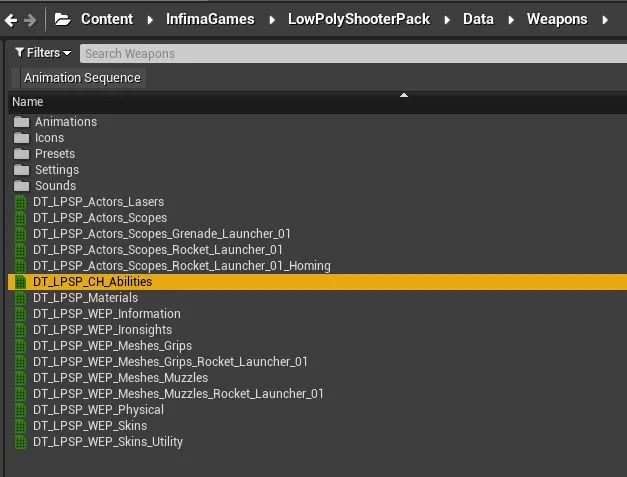
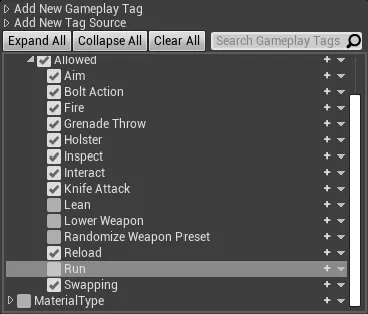
* Go to the **InfimaGames/LowPolyShooterPack/Data/Weapons/DT\_LPSP\_CH\_Abilities.DT\_LPSP\_CH\_Abilities** file.
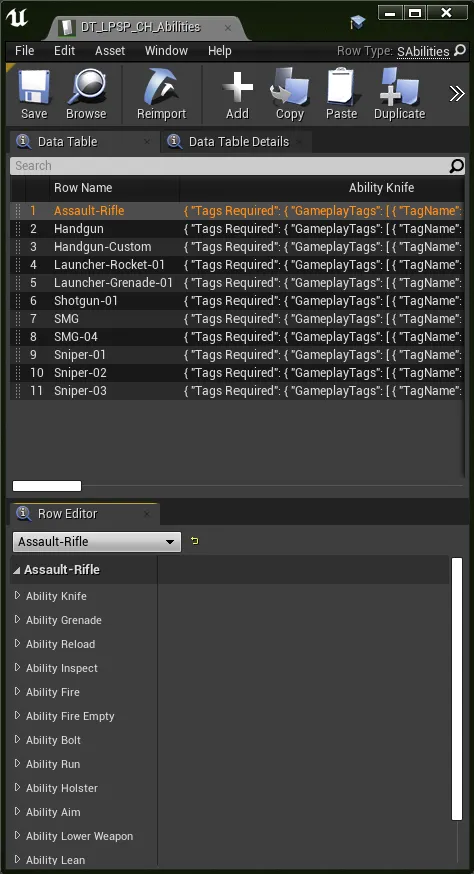
* Open the file and click on any row.
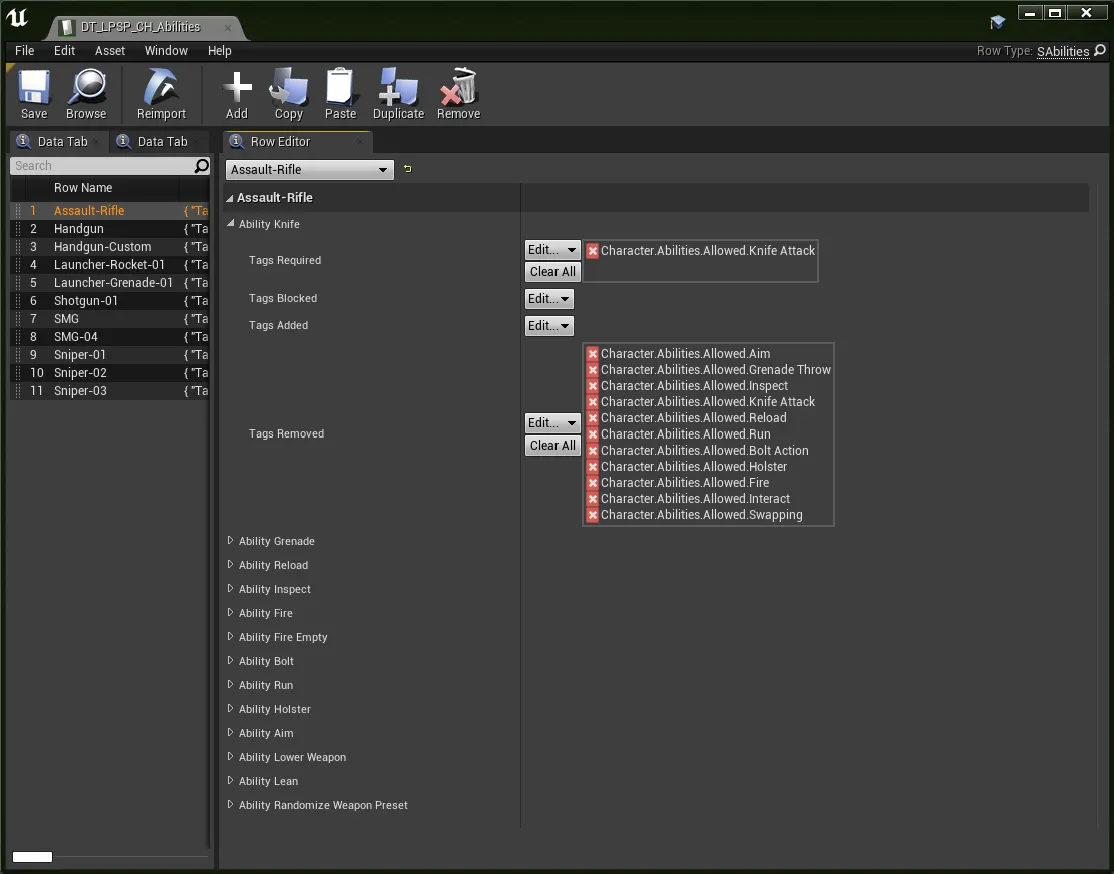
* Find the **Ability Knife** variable and open it to see its different variables.
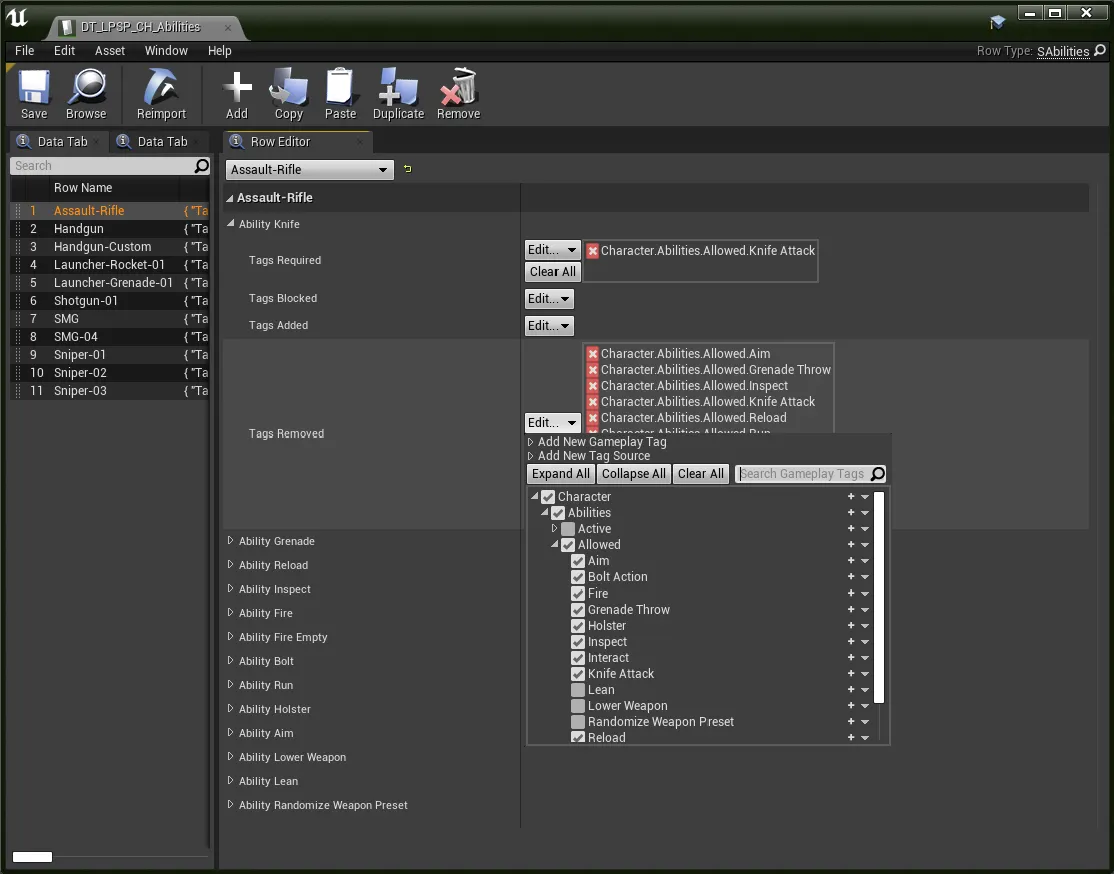
* Click on Edit All next to Tags Removed. This will allow you to remove the **Character.Abilities.Allowed.Run** tag, which will enable the character to run while performing a melee attack.
* If you want this to work for all weapons, make sure to do this for all rows in that data table. And that’s basically it!
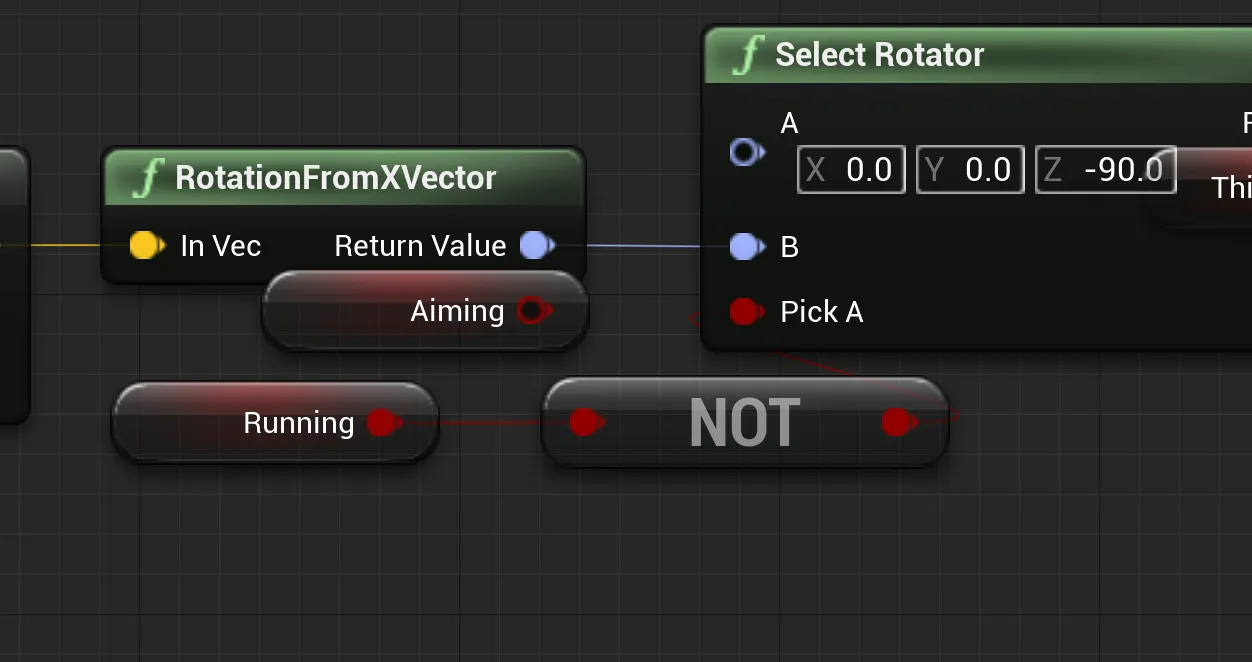
How do I make the third-person character always face forward while moving?
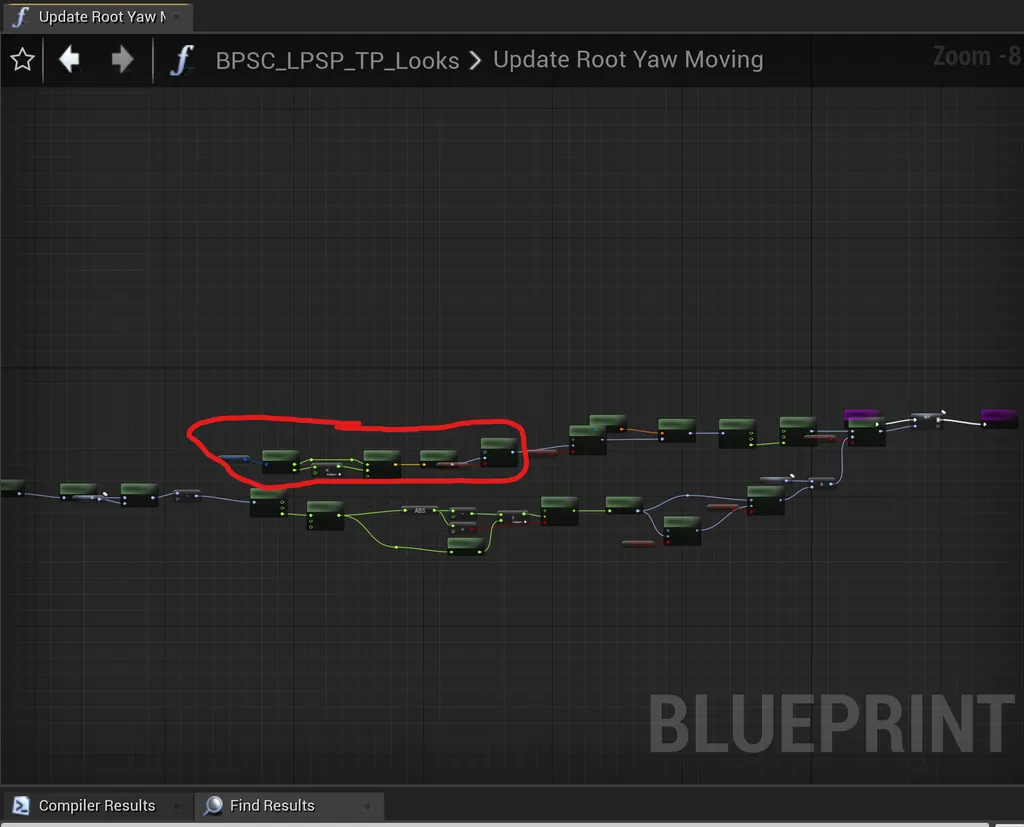
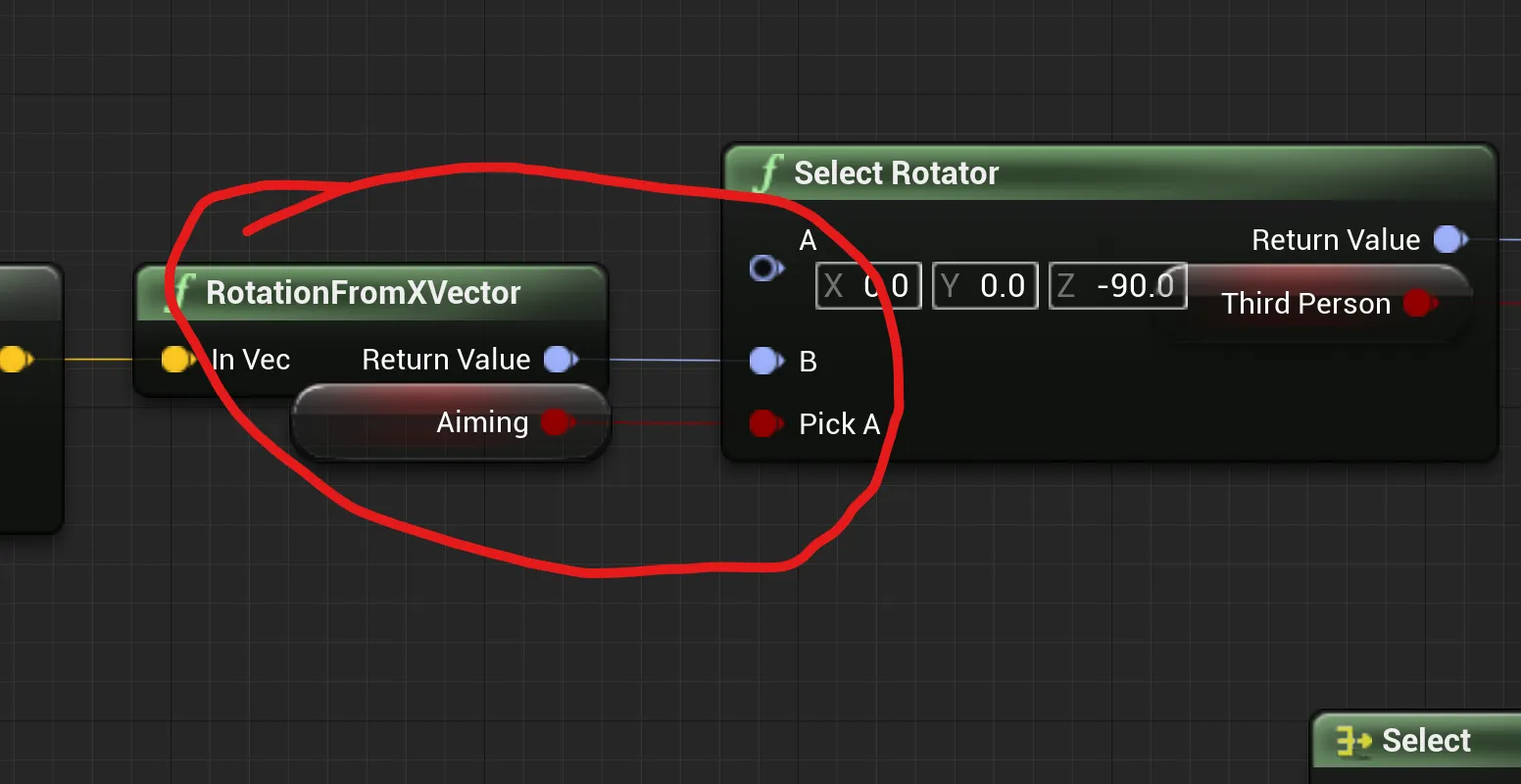
Here's how to make the third-person character always face forward while moving around, regardless of whether the player is aiming or not.
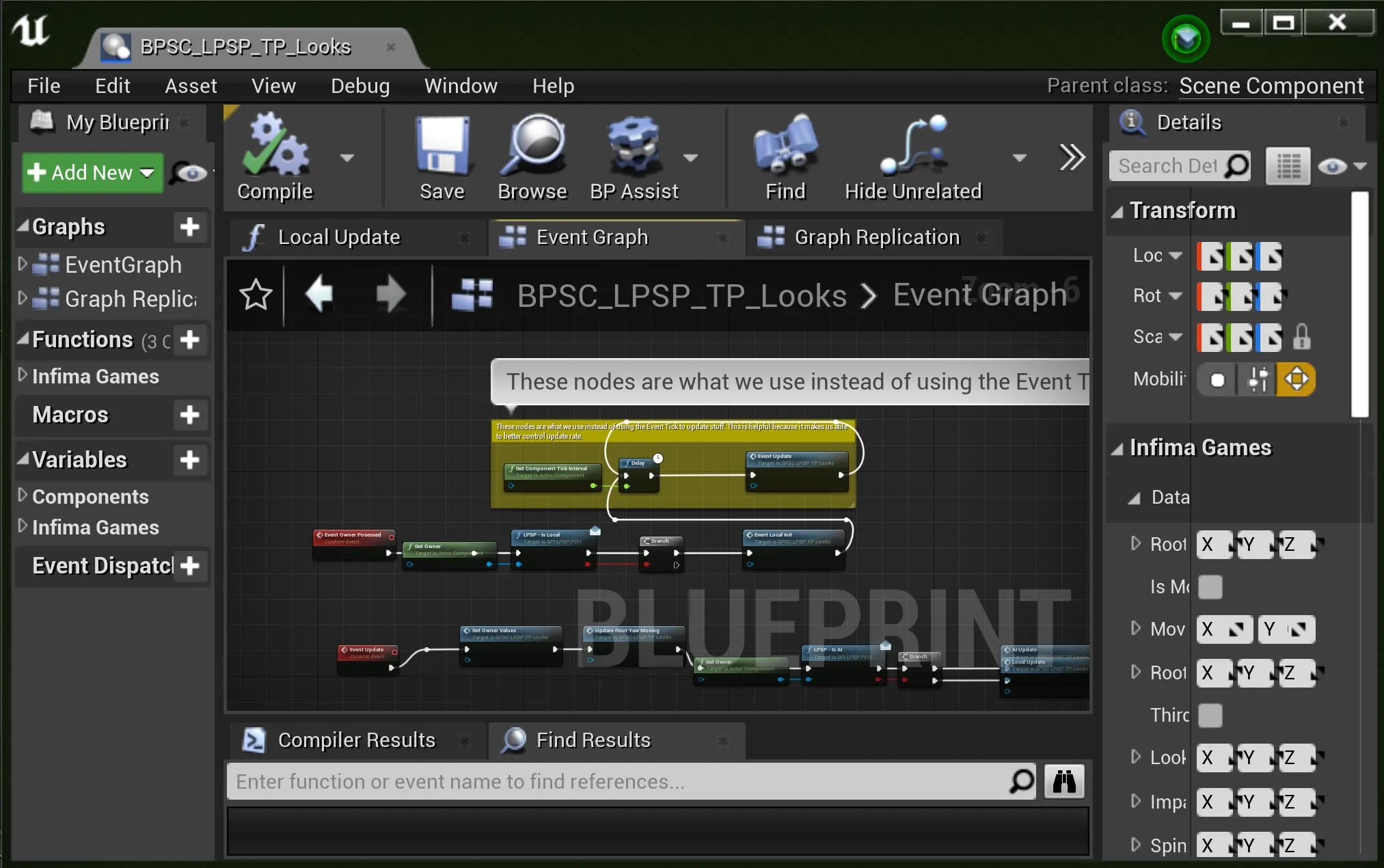
* Go to **LowPolyShooterPack/Core/Characters** and open **BPSC\_LPSP\_TP\_Looks**.
* Find the **Update Root Yaw Moving** function.
* Modify the function like the following:
How can I improve the firing animations? Where is the logic for the added bounce and motion in the firing animations, and how can I replicate it?
Recoil is a separate procedural aspect of the game engine, and is not part of the animation.
However, you can modify the visual recoil in this file: **InfimaGames/LowPolyShooterPack/Data/Weapons/Settings/DT\_LPSP\_WEP\_Settings.uasset.**
Specifically, you can adjust the **Recoil Properties** variable.
Is there a blueprint for a knife that can be equipped?
We don't have a blueprint for a weapon knife.
However, we do have a blueprint for the prop itself, which is simply placed on the map and has no functionality.
All the logic for knife damage can be found in the **Anim Notify Blueprint** located at **InfimaGames/LowPolyShooterPack/Core/Notifies/BP\_LPSP\_AN\_Melee.uasset**.
### Technical
Why is the gun mesh clipping through the camera in my project, and how do I fix it?
The issue you're experiencing might be related to your **Project Settings**.
Check the "**Near Clip Plane**" setting first, changing the value to be lower than the default usually fixes camera clipping.
If that's not the issue, try modifying the **Separate View Alpha** parameter in the **MaterialParameterCollection'/Game/InfimaGames/AnimatedLowPolyWeapons/Materials/MPC\_FOV.MPC\_FOV**' file in your project until it resolves the issue (setting the value to **1.0** usually works).
Why does the player interface (HUD) appear on the main menu before the game starts?
This is likely due to the default game mode being played. This is because no game mode has been assigned, so the project automatically uses our default mode.
How does the weapon sway in the asset work?
**Our weapon sway is achieved by using spring interpolation and tracking the change in mouse position over frames.**
Each frame, we add the result of the player's mouse and keyboard movements (after passing them through spring interpolation) to the location of the ik\_hand\_gun bone.
Is the character rigged to the Epic Mannequin skeleton?
Yes, it's rigged to the UE4 Mannequin skeleton.
The source files are included in the asset, but they don't seem to contain the animations, what's up with that?
The original animations were made using an older custom rig and had to be "converted" manually in order to work with the
Mannequin rig. This unfortunately made the animations hard to edit and not very useful to include in
the source files.
How to redirect animations from LPSP-LPAMG?
You can use the "retarget to skeleton" option that appears when you right-click on an animation. If you're using UE5, there are some tutorials available, as it's a bit more complicated. However, there's nothing specific about redirecting animations from our assets compared to any other animation in the engine.
### Project Info
What naming convention did you use for the project?
We base our naming conventions heavily off *Michael Allar's Style Guide*. We did this because it is currently one of, if not the most, popular style guides for the Unreal Engine, and it makes sense once you've read through it.
**Check it out here:**
***
---
# Agent Instructions
This documentation is published with GitBook. GitBook is the documentation platform designed so that both humans and AI agents can read, navigate, and reason over technical content effectively. Learn more at gitbook.com.
## Querying This Documentation
If you need additional information that is not directly available in this page, you can query the documentation dynamically by asking a question.
Perform an HTTP GET request on the current page URL with the `ask` query parameter, and the optional `goal` query parameter:
```
GET https://docs.infimagames.com/product/low-poly-shooter-pack/guides-and-faq/faq.md?ask=&goal=
```
`ask` is the immediate question: it should be specific, self-contained, and written in natural language.
`goal` is optional and describes the broader end goal you are ultimately trying to accomplish on behalf of the user. GitBook uses it to tailor the answer towards what is most useful for that goal.
The response will contain a direct answer to the question and relevant excerpts and sources from the documentation.
Use this mechanism when the answer is not explicitly present in the current page, you need clarification or additional context, or you want to retrieve related documentation sections.